
Redis入门(一):Redis 简介和Redis安装配置运行 & Redis 设置密码登录
Redis,全称Remote Dictionary Server,本质上是一种key-value数据库,其可以基于内存,亦可持久化,是一款开源的、高性能的非关系型数据库(NoSQL)。其中:
- key是string类型;
- value可以是String、Hash、List、Set、SortedSet等类型(这也是 NoSQL 的一大特点);
因而Reids又被称为数据结构服务器。
注意:NoSQL数据库的产生就是为了解决大规模数据集合多重数据种类带来的挑战,尤其是大数据应用难题。
#### 一、Key-value 形式的缓存产品特点
Redis 和其他key-value形式的缓存产品类似,都有如下特点:
- 数据可以持久化道磁盘,启动时再加载到内存中(Zookeeper 启动时也是将节点数据从磁盘加载到内存中);
- value 可以复杂的数据类型;
- 支持 master-slave(主从)备份。
注意:主从备份是指,Redis 集群中,将 master 节点的数据定时地同步到各 slave 节点。
#### 二、Redis 的优势
高性能的读和写;(运行在内存中,但是持久化到磁盘,因此在做高速读写操作时需要考虑内存的限制)
具有数据库的原子性;
特性丰富:
数据加载在内存中,在处理复杂的数据类型时,处理难度明显弱于在
支持 publish/subscribe, 通知, key 过期等特性。
三、MacOS 中安装配置运行 Redis
3.1 MacOs 安装 Redis;
步骤1. 官网 [redis.io](https://redis.io) 下载 Redis 安装包:
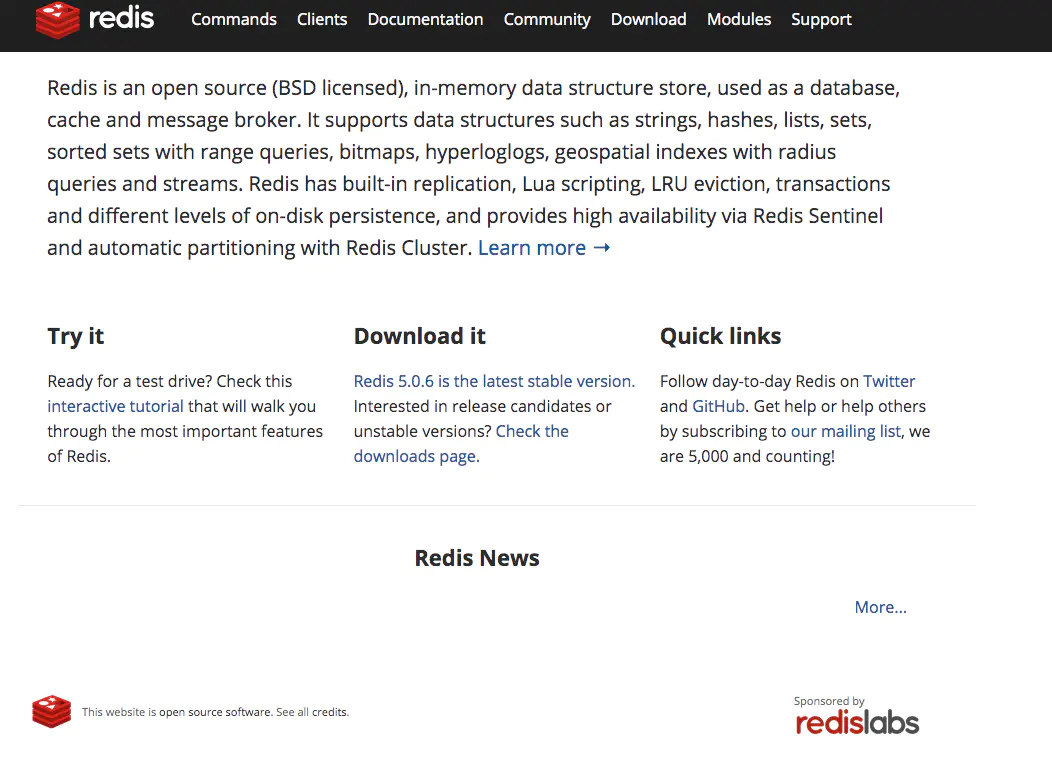
比如下载好的Redis 在 ~/Downloads/redis-5.0.6.tar.gz 。
步骤2. 将压缩文件解压到目标路径;
```
tar -zxvf ~/Downloads/redis-5.0.6.tar.gz ~/redis_install/
```
解压好的文件夹路径:~/redis_install/redis-5.0.6
步骤3. 进入~/redis_install/redis-5.0.6/src 编译 Redis;
```
cd ~/redis_install/redis-5.0.6/src
sudo make
# 会提示输入密码,即mac 密码
```
编译好后会打印出如下:
```
......
CC listpack.o
CC localtime.o
CC lolwut.o
CC lolwut5.o
LINK redis-server
INSTALL redis-sentinel
CC redis-cli.o
LINK redis-cli
CC redis-benchmark.o
LINK redis-benchmark
INSTALL redis-check-rdb
INSTALL redis-check-aof
Hint: It's a good idea to run 'make test' ;)
```
步骤4. 编译 Redis test;
```
sudo make test
# 会提示输入密码,即mac 密码
```
编译好后会打印出如下(如果报错就重新编译):
```
......
81 seconds - unit/type/list-2
27 seconds - unit/memefficiency
88 seconds - unit/aofrw
36 seconds - unit/pendingquerybuf
57 seconds - unit/obuf-limits
118 seconds - unit/type/stream
112 seconds - integration/replication-3
63 seconds - unit/hyperloglog
113 seconds - integration/replication-4
72 seconds - unit/geo
135 seconds - integration/replication-psync
123 seconds - unit/maxmemory
162 seconds - integration/replication
\o/ All tests passed without errors!
Cleanup: may take some time... OK
```
步骤5. 安装 Redis;
```
sudo make install
# 会提示输入密码,即mac 密码
```
安装好后会打印出如下:
```
......
INSTALL install
INSTALL install
INSTALL install
INSTALL install
INSTALL install
```
这时候在 src/ 下应该生成了redis-server 这个文件。接下来要对 Redis 进行配置:
步骤6. 切换到redis home 目录,并在该目录下新建 bin、etc、db 这三个文件夹;
```
cd ~/redis_install/redis-5.0.6
mkdir bin etc db
```
步骤7. 将 src/ 下的mkreleasehdr.sh、redis-benchmark.c、redis-check-rdb.c、 redis-cli.c 以及 redis-server(该文件只有在执行了上述的 make 命令后才会生成)文件复制到 步骤6新建的bin目录下;
```
cd ~/redis_install/redis-5.0.6/src
cp mkreleasehdr.sh redis-benchmark.c redis-check-rdb.c redis-cli.c redis-server ../bin/
```
步骤8. 切换到redis home 目录,将该目录下的 Redis 配置文件 redis.conf 复制到 etc/目录下;
```
cd ~/redis_install/redis-5.0.6/
cp redis.conf etc/
```
步骤9. 修改 etc/redis.conf 中的部分配置项(optional);
```
#修改为守护模式
daemonize yes
#设置进程锁文件
pidfile /path/to/redis.pid #根据自己的路径进行相关配置
#端口
port 6379
#客户端超时时间
timeout 300
#日志级别
loglevel debug
#日志文件位置
logfile /path/to/log-redis.log #根据自己的路径进行相关配置
#设置数据库的数量,默认数据库为16,可以使用SELECT 命令在连接上指定数据库id
databases 16
##指定在多长时间内,有多少次更新操作,就将数据同步到数据文件,可以多个条件配合
#save
#Redis默认配置文件中提供了三个条件:
save 900 1
save 300 10
save 60 10000
#指定存储至本地数据库时是否压缩数据,默认为yes,Redis采用LZF压缩,如果为了节省CPU时间,
#可以关闭该#选项,但会导致数据库文件变的巨大
rdbcompression yes
#指定本地数据库文件名
dbfilename dump.rdb
#指定本地数据库路径
dir /Users/hu/Downloads/redis/db/ #根据自己的路径进行相关配置
#指定是否在每次更新操作后进行日志记录,Redis在默认情况下是异步的把数据写入磁盘,如果不开启,可能
#会在断电时导致一段时间内的数据丢失。因为 redis本身同步数据文件是按上面save条件来同步的,所以有
#的数据会在一段时间内只存在于内存中
appendonly no
#指定更新日志条件,共有3个可选值:
#no:表示等操作系统进行数据缓存同步到磁盘(快)
#always:表示每次更新操作后手动调用fsync()将数据写到磁盘(慢,安全)
#everysec:表示每秒同步一次(折衷,默认值)
appendfsync everysec
```
步骤10. 切换到 src/ 目录启动运行 Redis-server;
```
cd ~/redis_install/redis-5.0.6/src
# 默认配置启动
redis-server
# 自定义配置启动
# redis-server /path/to/redis.conf
```
启动好后会打印如下内容(如果 redis.conf 中将配置项守护模式 daemonize 修改为yes,即 redis server 在后台运行):
```
......
64485:M 14 Nov 2019 20:34:03.930 * Increased maximum number of open files to 10032 (it was originally set to 256).
_._
_.-``__ ''-._
_.-`` `. `_. ''-._ Redis 5.0.5 (00000000/0) 64 bit
.-`` .-```. ```\/ _.,_ ''-._
( ' , .-` | `, ) Running in standalone mode
|`-._`-...-` __...-.``-._|'` _.-'| Port: 6379
| `-._ `._ / _.-' | PID: 64485
`-._ `-._ `-./ _.-' _.-'
|`-._`-._ `-.__.-' _.-'_.-'|
| `-._`-._ _.-'_.-' | http://redis.io
`-._ `-._`-.__.-'_.-' _.-'
|`-._`-._ `-.__.-' _.-'_.-'|
| `-._`-._ _.-'_.-' |
`-._ `-._`-.__.-'_.-' _.-'
`-._ `-.__.-' _.-'
`-._ _.-'
`-.__.-'
64485:M 14 Nov 2019 20:34:03.936 # Server initialized
64485:M 14 Nov 2019 20:34:03.936 * Ready to accept connections
```
步骤11. 启动redis-client;
```
# 如果非守护进程方式启动redis-server,那么启动 redis server 的terminal 不能被关闭。需要另开一个terminal窗口,然后切换到redis home 目录下的src 目录后再启动 redis client
cd ~/redis_install/redis-5.0.6/src
# 启动客户端
redis-cli
# 如果是要指定host和port,可以使用参数-h和-p,比如:
# redis-client -h 127.0.0.1 -p 3866
```
可以使用 ps 命令查看启动的 redis server 和 redis client 进程:
```
src user1$ redis-cli
127.0.0.1:6379>
127.0.0.1:6379>
127.0.0.1:6379> set key1 value1
OK
127.0.0.1:6379> get key1
"value1"
127.0.0.1:6379>
```
可以使用 ps 命令查看启动的 redis server 和 redis client 进程:
```
ps axu|grep redis
```
得到:
```
user1 65824 0.0 0.0 4267752 872 s006 S+ 8:46PM 0:00.00 grep redis
user2 65790 0.0 0.0 4278208 1056 s005 S+ 8:45PM 0:00.00 redis-cli -h 127.0.0.1 -p 6380
user3 64485 0.0 0.0 4301548 2984 s000 S+ 8:34PM 0:00.60 redis-server *:6379
```
#### 四、配置环境变量PATH
在安装 redis 时可以将 ${redis_home}/src 路径(其中包含 redis-server 和 redis-cli 文件)配置到环境变量 PATH 中,这样的话就可以直接在终端 terminal 中输入命令即可启动redis server 和 redis client,比如:
```
# redis home
export PATH="/usr/local/redis-5.0.5/src:$PATH"
```
#### 五、设置 Redis 密码登陆
首先查询是否设置了密码登陆:
```
127.0.0.1:6379> config get requirepass
1) "requirepass"
2) ""
```
其中requirepass 是一个配置项,表示要求密码登录,可以看出当前没设置密码。
接下来设置密码:直接修改 redis.conf 中的配置项 requirepass 即可,比如:
```
#### 五、设置 Redis 密码登陆
首先查询是否设置了密码登陆:
```
requirepass root
```
接下来重启 redis-server 进程,这时候可能报如下错误:
```
$ redis-server
80316:C 15 Nov 2019 16:40:00.865 # oO0OoO0OoO0Oo Redis is starting oO0OoO0OoO0Oo
80316:C 15 Nov 2019 16:40:00.865 # Redis version=5.0.5, bits=64, commit=00000000, modified=0, pid=80316, just started
80316:C 15 Nov 2019 16:40:00.865 # Warning: no config file specified, using the default config. In order to specify a config file use redis-server /path/to/redis.conf
80316:M 15 Nov 2019 16:40:00.867 * Increased maximum number of open files to 10032 (it was originally set to 256).
80316:M 15 Nov 2019 16:40:00.868 # Could not create server TCP listening socket *:6379: bind: Address already in use
```
对于这个问题是因为 redis-server 进程还存在,只需要将其 kill 掉即可:
```
$ ps -ef | grep redis-server
965495289 44254 1 0 10:28AM ?? 0:18.02 redis-server *:6379
965495289 80364 80273 0 4:40PM ttys000 0:00.00 grep redis-server
$ kill 44254
$ ps -ef | grep redis-server
965495289 80417 80273 0 4:40PM ttys000 0:00.00 grep redis-server
$ redis-server
81217:C 15 Nov 2019 16:48:24.996 # oO0OoO0OoO0Oo Redis is starting oO0OoO0OoO0Oo
81217:C 15 Nov 2019 16:48:24.996 # Redis version=5.0.5, bits=64, commit=00000000, modified=0, pid=81217, just started
```
接下来启动 redis-cli 进程,如下:
```
redis-cli
127.0.0.1:6379> keys *
(error) NOAUTH Authentication required.
127.0.0.1:6379> auth root
OK
127.0.0.1:6379> keys *
1) "key1"
```
或者直接在终端 terminal 中输入命令:
```
redis-cli -h 127.0.0.1 -p 6379 -a root
# 其中 root 是设置的密码
```
#### 六、切换数据库
和 MySQL 类似,基于内存的Redis 也是包含多个数据库的,数据库的个数由配置文件 redis.conf 中的配置项 databases 定义,默认是16个,使用序号 0-15来表示,启动 redis-client 后默认使用序号为0的数据库。
可以使用select命令来切换数据库,比如:
```
127.0.0.1:6379>
127.0.0.1:6379> select 1
OK
```
公众号进入网站体验更佳